
How to Search Cases by Name
Two starting points exist. One is the Bell County Odyssey Public Portal. The other is the official Bell County site, which leads to the correct clerk index. Because the portal's filters can change, confirm what fields it currently offers before searching. The District Clerk's civil and criminal pages set a $5 fee per name. They also ask for enough detail to pin down the record you want.
- Open the correct official portal.
- Enter the documented name.
- Filter by court and case type when available.
- Match details before opening the docket.
| Field Label | Type | Required | Notes |
|---|---|---|---|
| Name | Text | Verify live | Use filing spelling. |
| Cause number | Text | Preferred | Enter exactly. |
| Court | Filter | Verify live | Select the correct family. |
| Date | Filter | Verify live | Use approximate filing date. |
Common names need narrowing. Filter by court, case family, filing date, and the cause number printed on an official notice. Never treat a broad name match alone as proof of identity. The County Clerk's civil and probate index reaches back to October 1989. Anything older may require direct help from the office. Remember that a no-result screen can stem from a different custodian, a spelling variation, a restriction, or an outage rather than the absence of a case. When a docket search comes up empty, try each of those causes in turn.
Bell County Odyssey Fallback
Odyssey can throw an access error. That is a portal failure, not proof that no case exists. Write down the query time, court, spelling, and any known cause number, then switch to the clerk-linked index or a direct contact route. The official portal page shows the error screen itself.
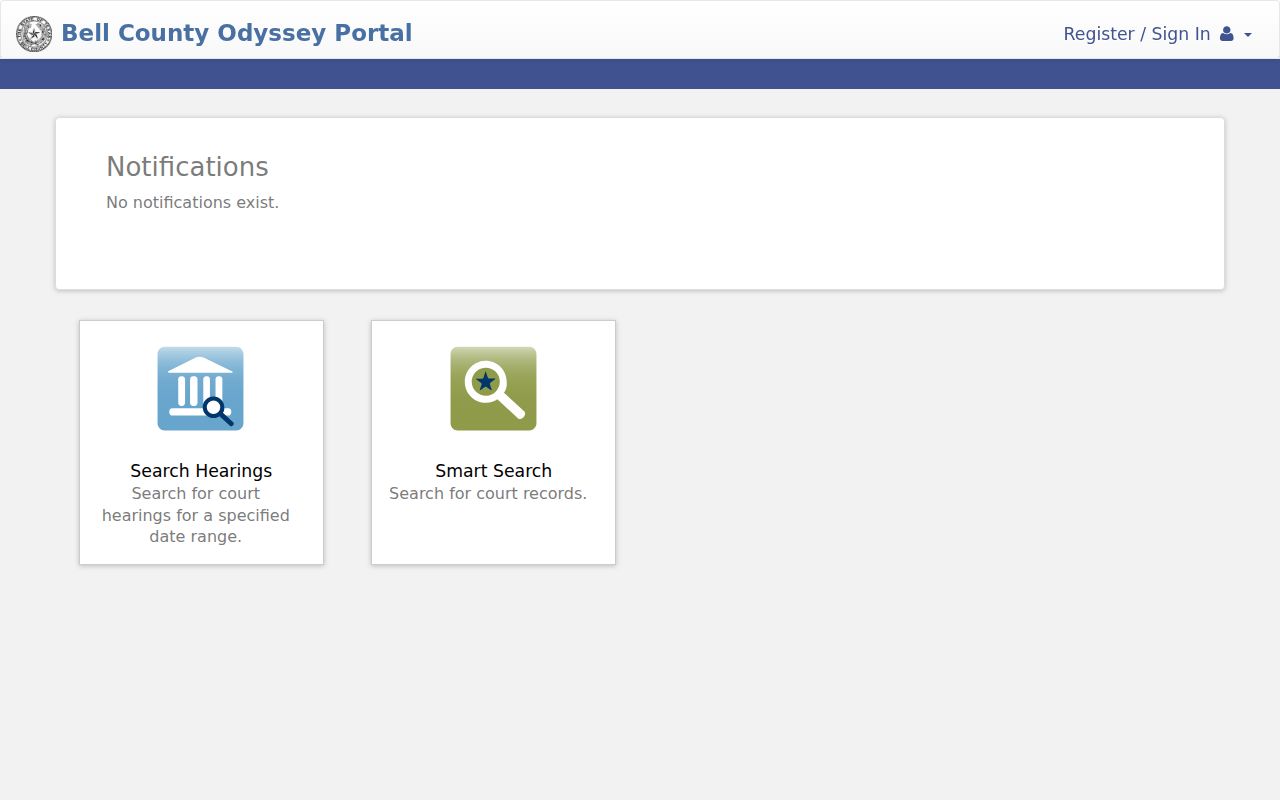
When the public portal cannot answer a query, the clerk fallback fills the gap. Bell County's main page links both “Search Court Hearings and Court Records” and “Court Dockets.” County Clerk categories split into civil, probate, and criminal index routes, while District Clerk civil and criminal pages cover paid name searches. Retry through the appropriate official route. Skip the unverified people-search services.
How to Search by Case Number
A cause number is the strongest key for a clerk search or copy request. Bell County's live number format should not be guessed. Type the exact identifier from the filing, citation, or notice, separators and all. Treat EXACT-CAUSE-NUMBER as a format reminder only, not a Bell County pattern.
Keep every letter, leading zero, punctuation mark, and court suffix. A city citation number, a District Court cause number, and a County Clerk index key are three different things. They cannot stand in for each other. Pair the number with the court and the exact instrument, such as a petition, order, or judgment, whenever you request a document. Without a number, the District Clerk asks for detailed identifying information. It also charges a $5 search fee per name.
Bell County Search Failure Log
Log what happened when a search fails. Note the court family, cause number, spelling used, approximate filing date, case type, time of search, and the error message shown. Then test whether the case actually sits with the other clerk, a JP precinct, or a municipal court instead.
- Retry the exact cause number.
- Check the other official clerk route.
- Confirm whether the index covers the filing date.
- Ask the custodian about restricted or older material.
For a written fallback, use the official civil copy route or its criminal counterpart. Send a cashier's check or money order and a self-addressed stamped envelope with the request. The District Clerk prices regular copies at $0.50 per page. Certified copies run $1 per page. The office promises no fixed turnaround. It contacts the requester once the document is located and states the purchase amount.
What a Case Search Shows
One result can carry a lot. Expect the court, case type, cause number, style, filing date, claim or charge category, settings, events, judge, status, disposition, and possible document references. Field coverage varies by system.
| Case Number | The exact cause number links the result to a court file; preserve every character and separator. |
|---|---|
| Style / Parties | The caption identifies the named parties and helps distinguish similar name results. |
| Case Type | The category may identify civil, family, probate, criminal, or another court family. |
| Filed Date | The filing date helps separate cases with similar captions and places events in sequence. |
| Status | A procedural label such as open, closed, or disposed should be checked against the latest order. |
An event row and its underlying document answer different questions. The row may show that a motion, order, or judgment was entered. It does not display the signed instrument itself. “Disposed” is another word to read carefully. It describes procedural status rather than the terms of any judgment. Identify the item through the index first. Then get a regular or certified copy from the maintaining clerk when the actual language matters.
Bell County Result or Certified File
An online index locates a case but does not certify it. The County Clerk states plainly that online data does not replace the official source. For a pleading, order, or judgment, file the proper copy form.
| Need | Best route |
|---|---|
| Locate a case | Odyssey or clerk index |
| Track a setting | Docket plus coordinator |
| Read an instrument | Clerk copy request |
| Certified record | Custodian clerk |
Copies flow through several channels: online indexes, the County Clerk counter at the Justice Center, District Clerk civil and criminal counters, written mail requests, phone, the published desk email, and fax. County Clerk numbers are 254-933-5160 for the main line. Civil and probate use 254-933-5174, and criminal uses 254-933-5161. Fax goes to 254-933-5176 or 254-933-6072. The county publishes no public courthouse terminal or dropbox, so plan on these listed routes for court records.
County vs Statewide Case Search
re:SearchTX adds a statewide judicial-data layer on top of local options. Bell Odyssey and the clerk indexes stay local, and the maintaining clerk remains the source for any official copy. Coverage, account conditions, and fees for the state layer can shift, so confirm them when you use it.
| Statewide Portal | Bell County Portal |
|---|---|
| Participating Texas court data through re:SearchTX | Bell County matters included in Odyssey and clerk indexes |
| Useful cross-county discovery, with current coverage and fees verified at use time | Local case identification and event detail, subject to the selected court's coverage |
| Best when the Texas county is uncertain | Best for a known Bell County court or cause number |
Treat the statewide portals as a starting point, not the final word. A Bell County docket entry and re:SearchTX can disagree. So note when you pulled each one, and confirm with the clerk before relying on either. Appeals take you somewhere else entirely. The Texas Third Court of Appeals handles cases that have reached that level. Federal matters are separate too. They run through PACER or CM/ECF for the Western District of Texas. Neither Bell Odyssey nor any Texas county-record route covers those files.
Bell County City Cases Search Elsewhere
A ticket from Temple, Killeen, Harker Heights, Belton, or Nolanville may live in a city system instead of Bell Odyssey. Look at the court name printed on the citation. That name decides where the case lookup happens. County and district dockets will not pick up every municipal ticket, so a clean result there does not mean the ticket is gone.
Use the court printed on the record. A city citation number and a district cause number are keys to different systems.
Temple lets you search documents by case number, last name, birth date, payment-plan number, or citation number. Killeen posts its own municipal payment and warrant routes. Those search fields belong to the city systems. Do not expect Odyssey to carry them. Justice-court civil and fine-only cases work the same way, turning on the precise precinct and place.
Bell County Odyssey Changeover
Odyssey went live in Bell County on June 7, 2021, retiring a custom AS400 system that had served more than twenty years. That history matters when you hit an older court record or try to trace a filing trail across the switch. Public docket searching and attorney e-filing both run on the same court environment now. They are connected services, though, not the same product.
Search implication: A portal view locates case information; clerk procedures still control filing acceptance and official copies.
Restricted Cases and Access Rules
Some files simply will not appear. Sealed records, juvenile information under Texas Family Code Chapter 58, expunged matters, and sensitive family material may be missing or limited in any Bell County docket search. Redaction under Rule 21c can hide protected values while leaving the event itself visible on the docket, and Rule 76a governs civil sealing.
Access still has several doors. Odyssey and the clerk indexes serve online lookups. The District and County Clerk counters take walk-in requests, mail works when you include approved payment and a self-addressed stamped envelope, and the County Clerk phone lines run at 254-933-5160, 254-933-5174, and 254-933-5161. Published email and fax contacts round out the options. No courthouse terminal is offered, so plan around that gap.
Two more rules sit nearby. Texas Rule of Judicial Administration 12 covers qualifying judicial records beyond court case records, while the Texas Public Information Act reaches covered county and city administrative records rather than case files generally. If an item is missing, ask the clerk whether it is sealed, redacted, confidential, outside the index range, or only available by written copy request. Keep one caution in mind: an entry you can see does not guarantee public access to its attachment.